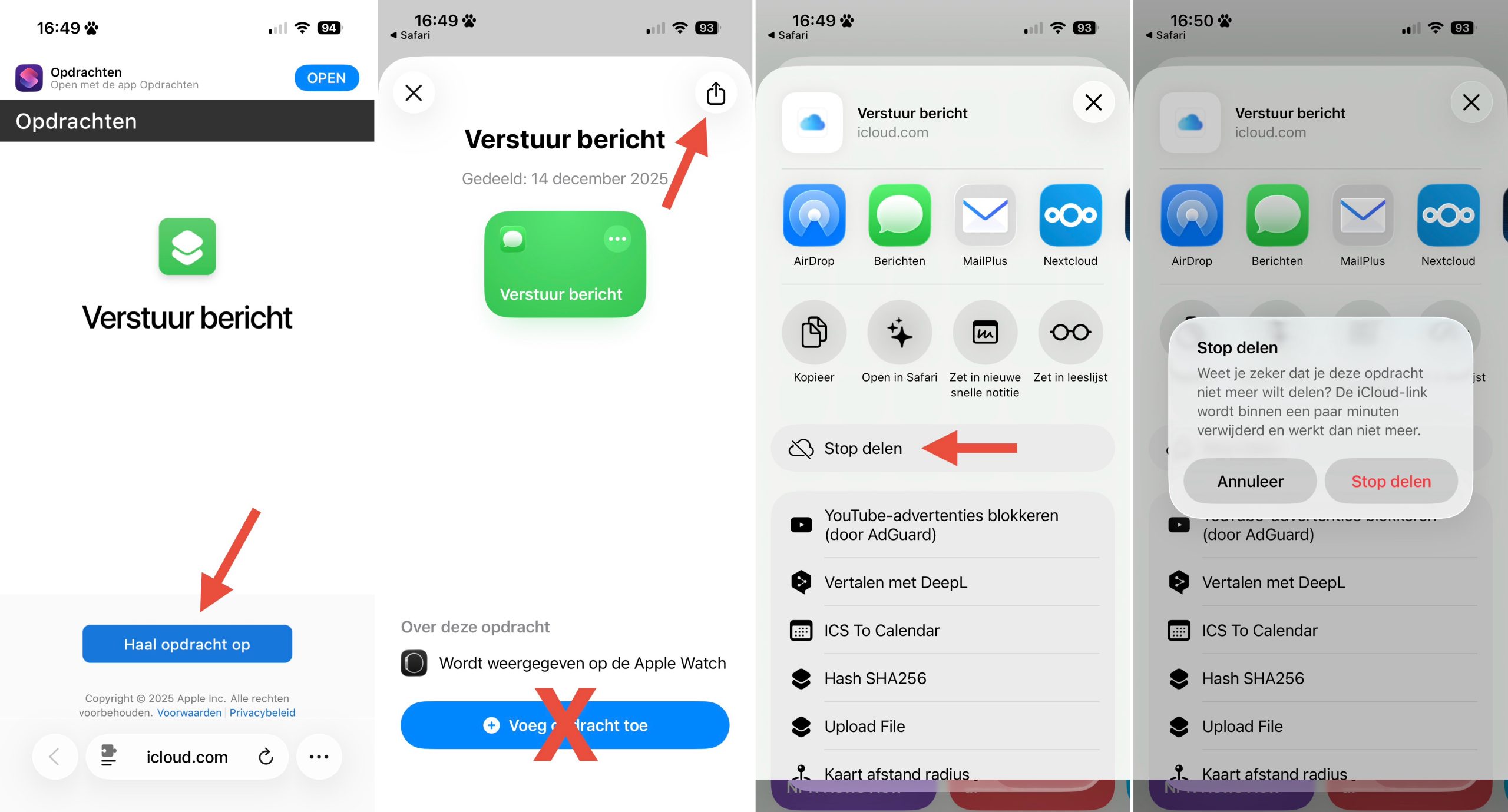
When you have shared a link for one of your Siri Shortcuts but later regret it, you can still revoke that link. Even when you have deleted the shortcut itself. Problem is there is no setting or list of all your iCloud links anywhere in the app. You can only find it through opening the link by yourself.
You must be signed in with the same iCloud account (Apple ID) you used to created the sharing link.
- Go to icloud.com and login with the same ID you created the link with
- Open the shortcut link in your browser
- Tap on the Get shortcut button
- Don’t install it
- Instead, tap on the share button, in the top-right corner.
- Choose Remove link